
Need to transfer ownership of your Koalendar workspace? It just takes a few clicks.
✅ How to do it:
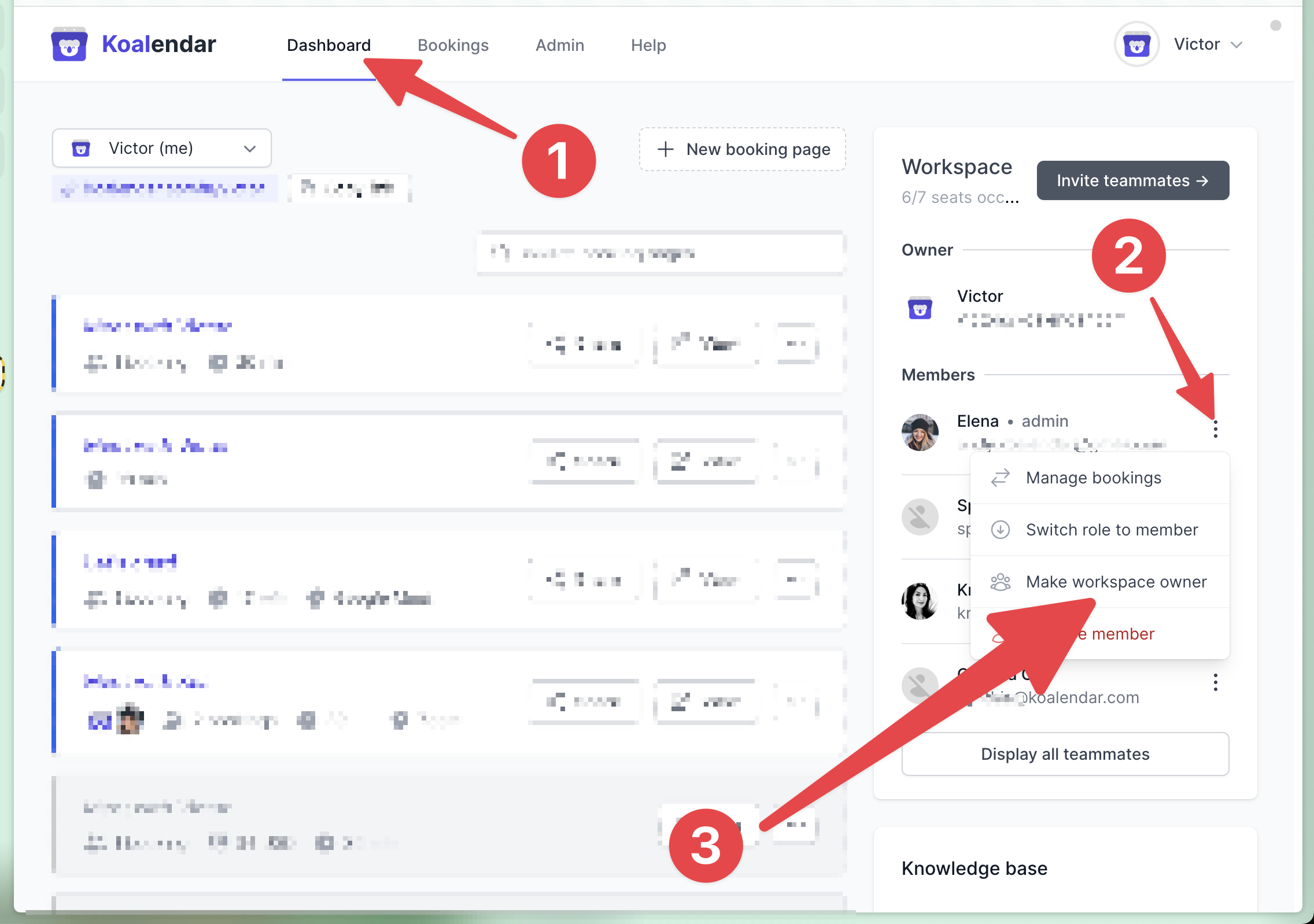
- Go to your Dashboard
- Click the 3-dot menu next to the member you want to promote
-
Select "Make workspace owner"
That teammate will instantly become the new workspace owner.
📸 Refer to the screenshot below for step-by-step guidance.
Note:
- Only the current owner can assign a new one
- The new owner must already be a member of the workspace