
Want to accept bookings only during a specific period—like for an event, seasonal campaign, or time-limited program? Koalendar gives you full control.
✅ Two Ways to Control Future Availability
1. Set Specific Dates Instead of Weekly Hours
- Instead of setting weekly recurring hours (e.g., Mon–Fri 9am–5pm), you can define specific individual dates you want to be available.
- Just click “+ Add specific date” in the availability section and select exact dates/times.
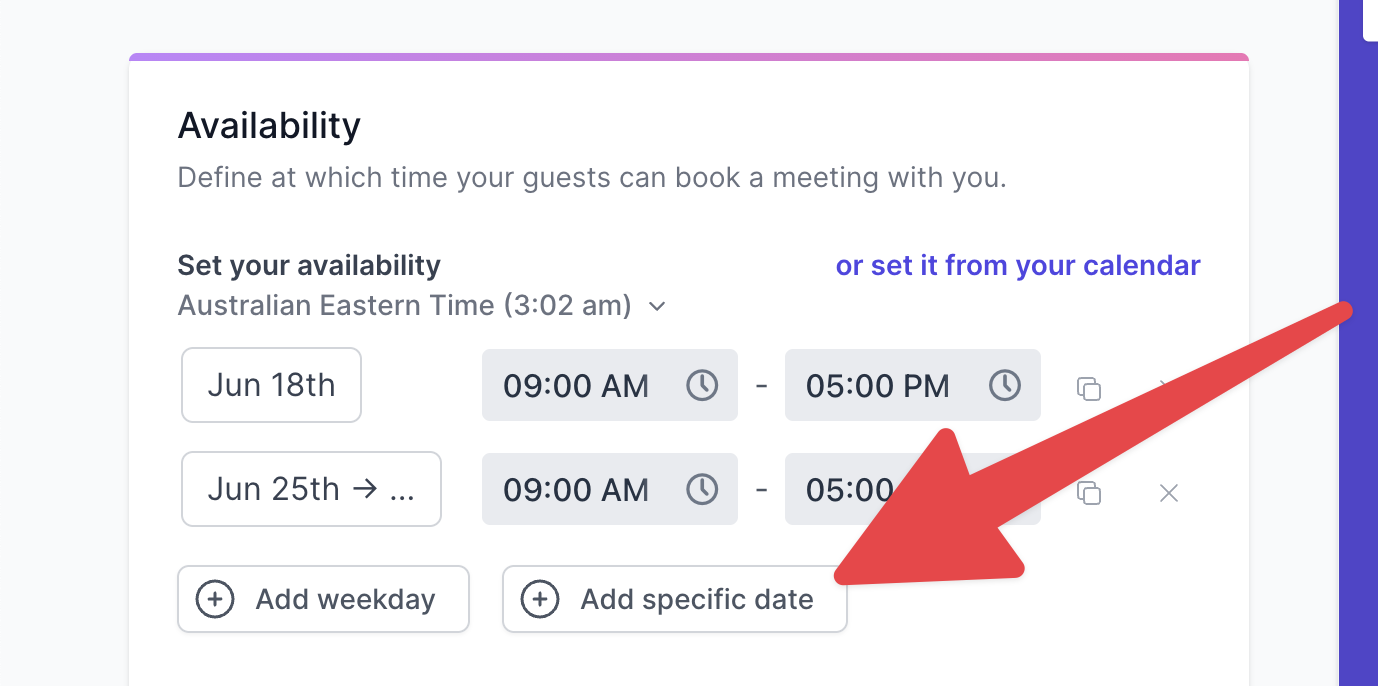
- This gives you maximum precision over when people can book you.
2. Limit by Fixed Date Range
- In the same Availability section, click “Show advanced configuration”.
Enable “Limit by a fixed date range”.
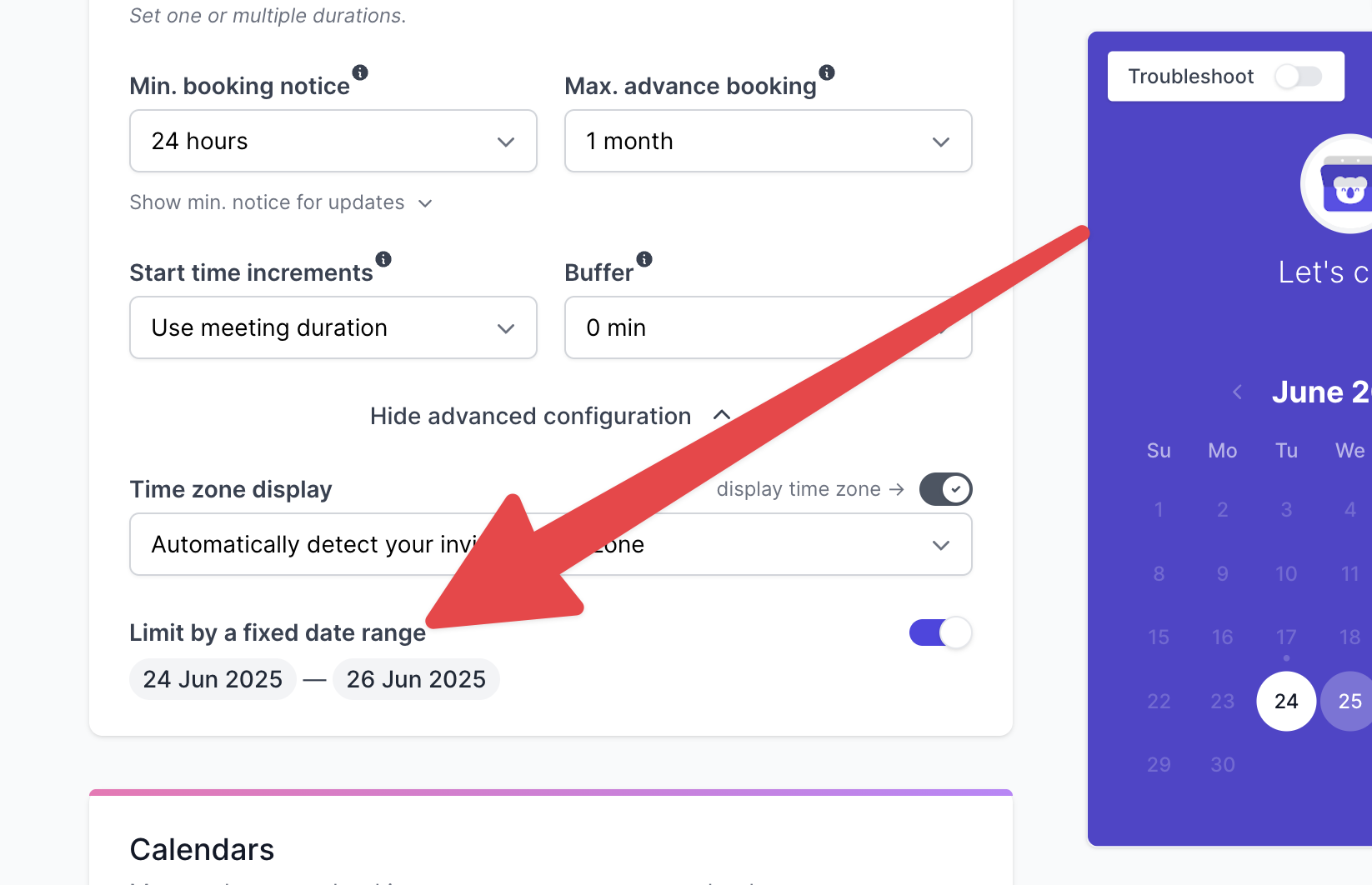
- Choose your Start and End date.
- Only time slots within that range will appear on your booking page.
Perfect for special events, short-term offers, or seasonal schedules.
💡 Use Cases
- Open bookings only for the month of August
- Accept registrations just during an application period
- Limit booking to a handful of chosen days